
The ColonThreeMC Lite Modpack gives you QoL and performance stuff without much bloat. Here's how to get it running with Prism Launcher.
Step 1: Download Prism Launcher
Grab it from prismlauncher.org. It's free, open source, and it's super easy to use.
Step 2: Install Prism
Just run the installer. Default settings are good. If you already have Prism installed, skip ahead.
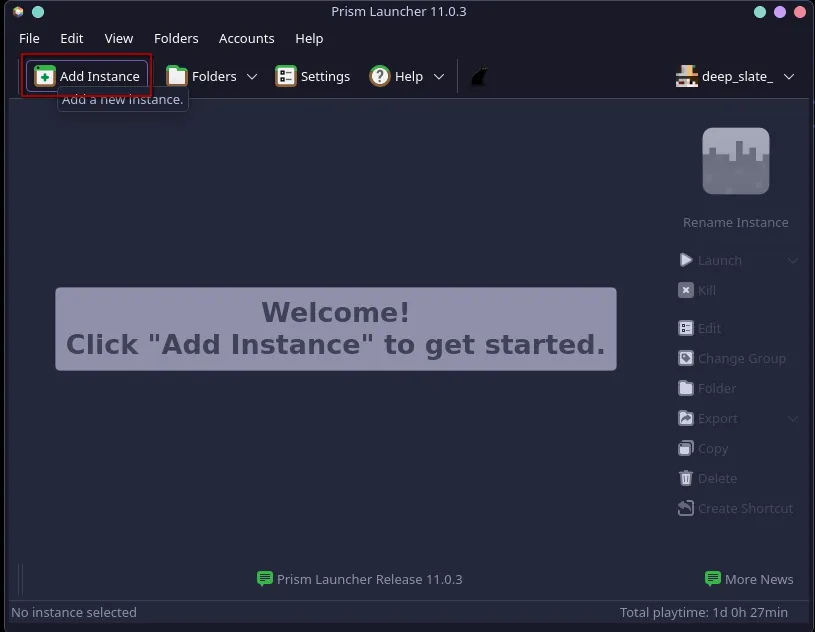
Step 3: Add a New Instance
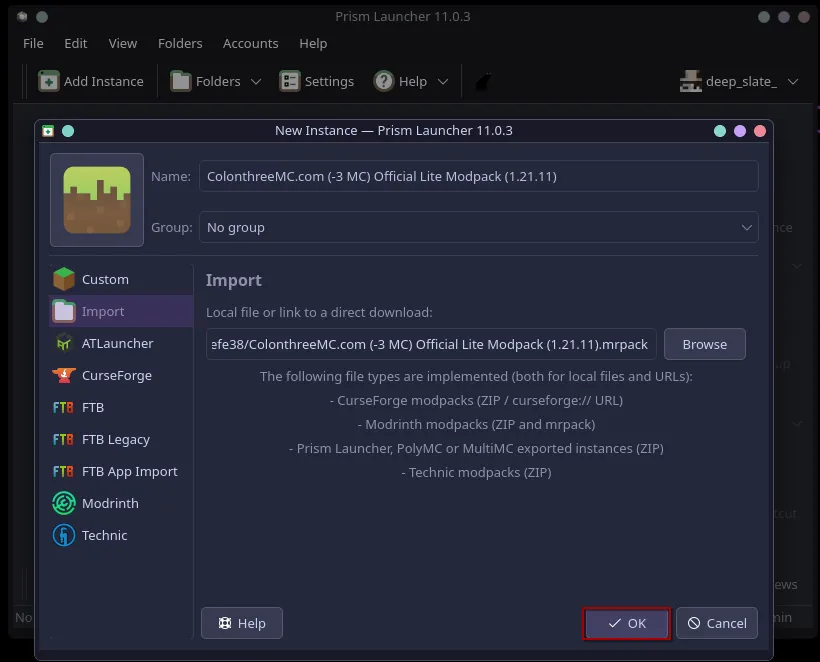
Open Prism and click the Add Instance button.
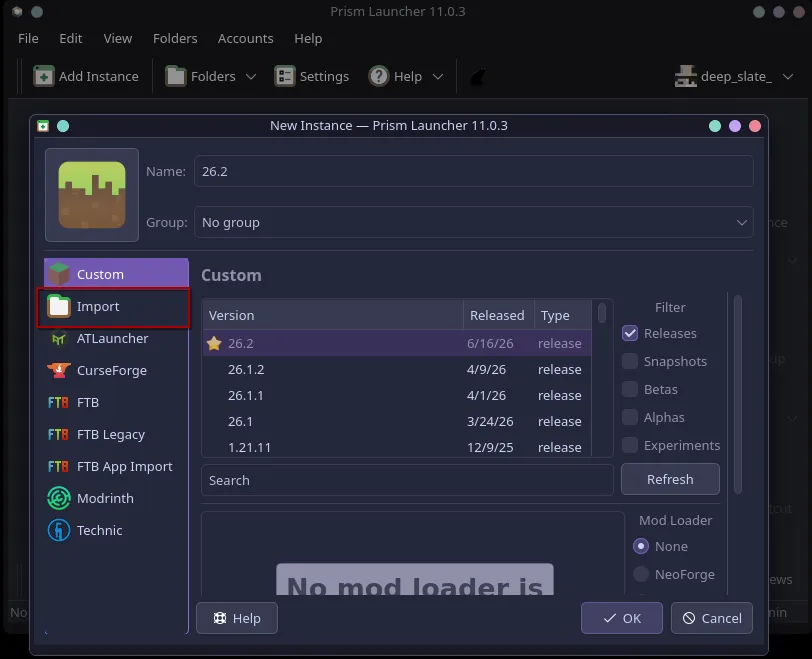
Step 4: Select Import
In the window that pops up, pick the Import tab at the top.
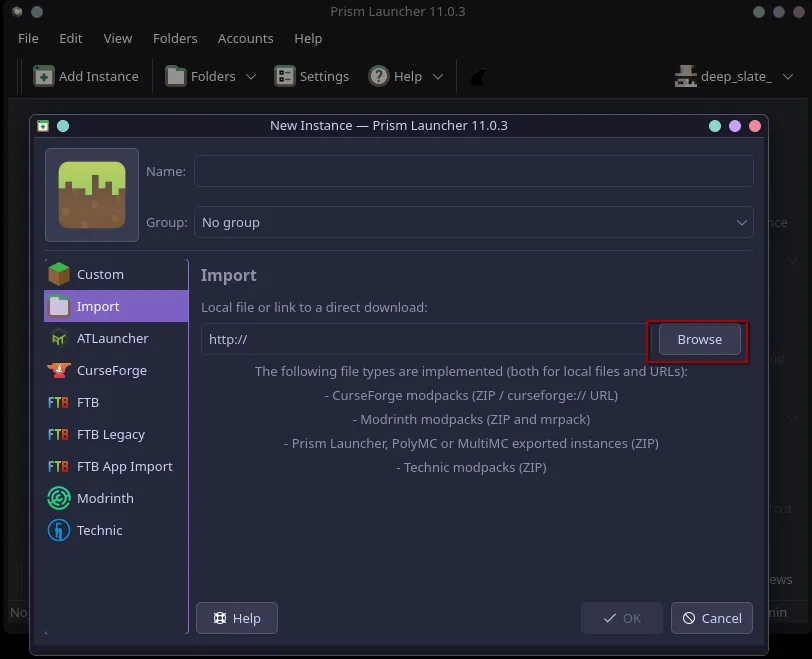
Step 5: Browse for the Modpack
Click Browse and find the .mrpack file you downloaded from the Downloads page.
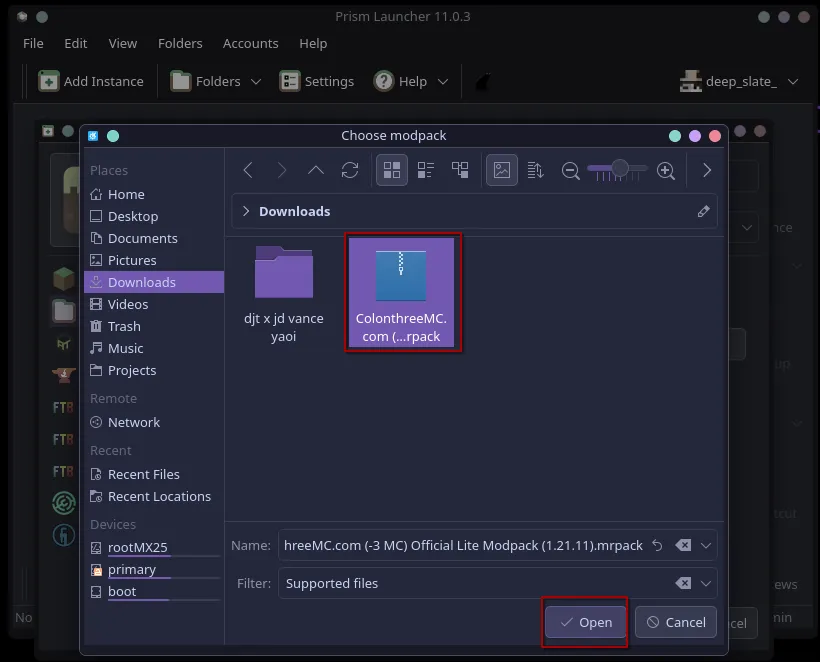
Step 6: Select the File
Pick the ColonthreeMC-Official-Lite-Modpack-1.21.11.mrpack file.
Step 7: Click OK
Prism will download all the mods and set everything up for Minecraft 1.21.11 automagically. This might take a while, depending on your connection.
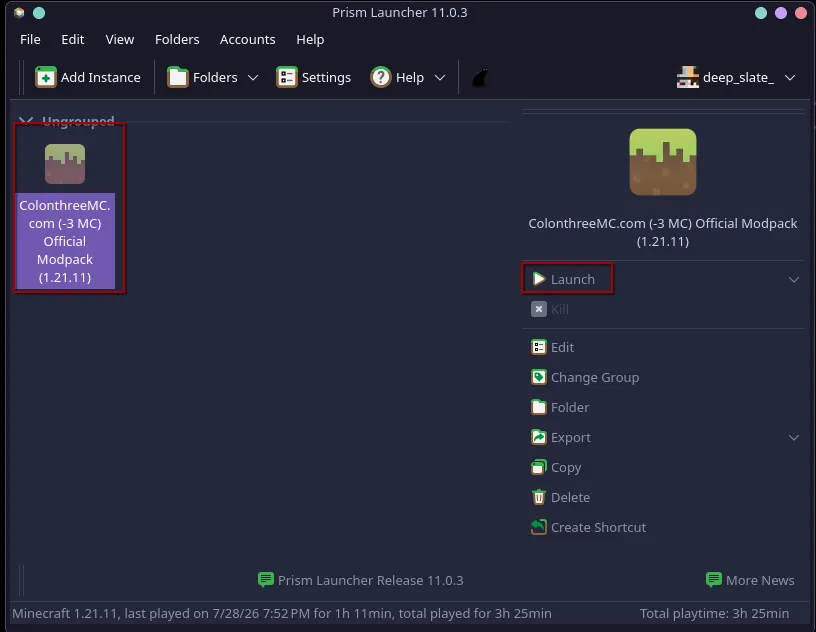
Step 8: Launch
Once it's done, click on the new instance and hit Launch. You're in.
ColonThreeMC should already be in your server list. Happy trans Minecrafting!